Introducing Communities


Your Space to Connect, Create, and Collaborate
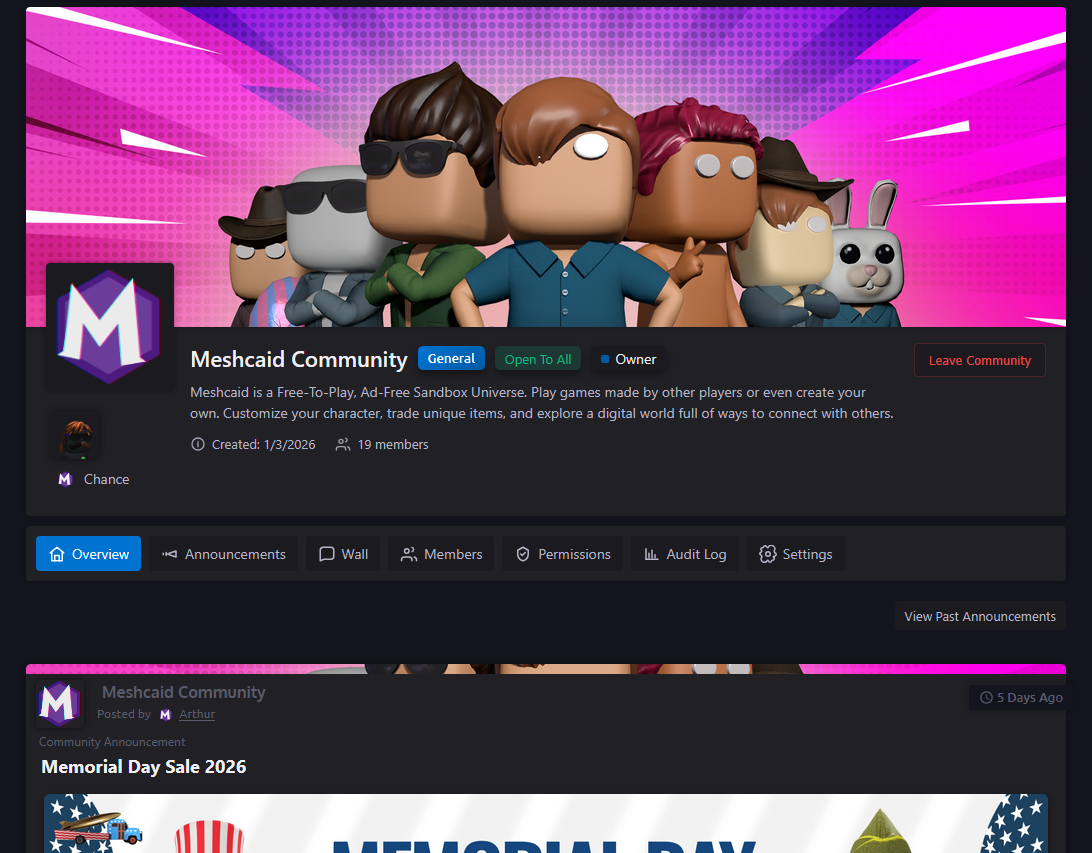
Communities are here — a powerful new way to bring people together on Meshcaid. Whether you're a game developer showcasing your latest project, an artist building a fanbase, or a group of friends carving out your own corner of the platform, Communities give you the tools to create something special.
What Are Communities?
Communities are customizable spaces where members can:
- Share announcements and updates
- Engage in community-specific discussions via the Wall
- Organize members with custom roles and permissions
- Build a following around shared interests
Each community is unique, with its own identity, rules, and culture — all managed by you.
Create Your Community
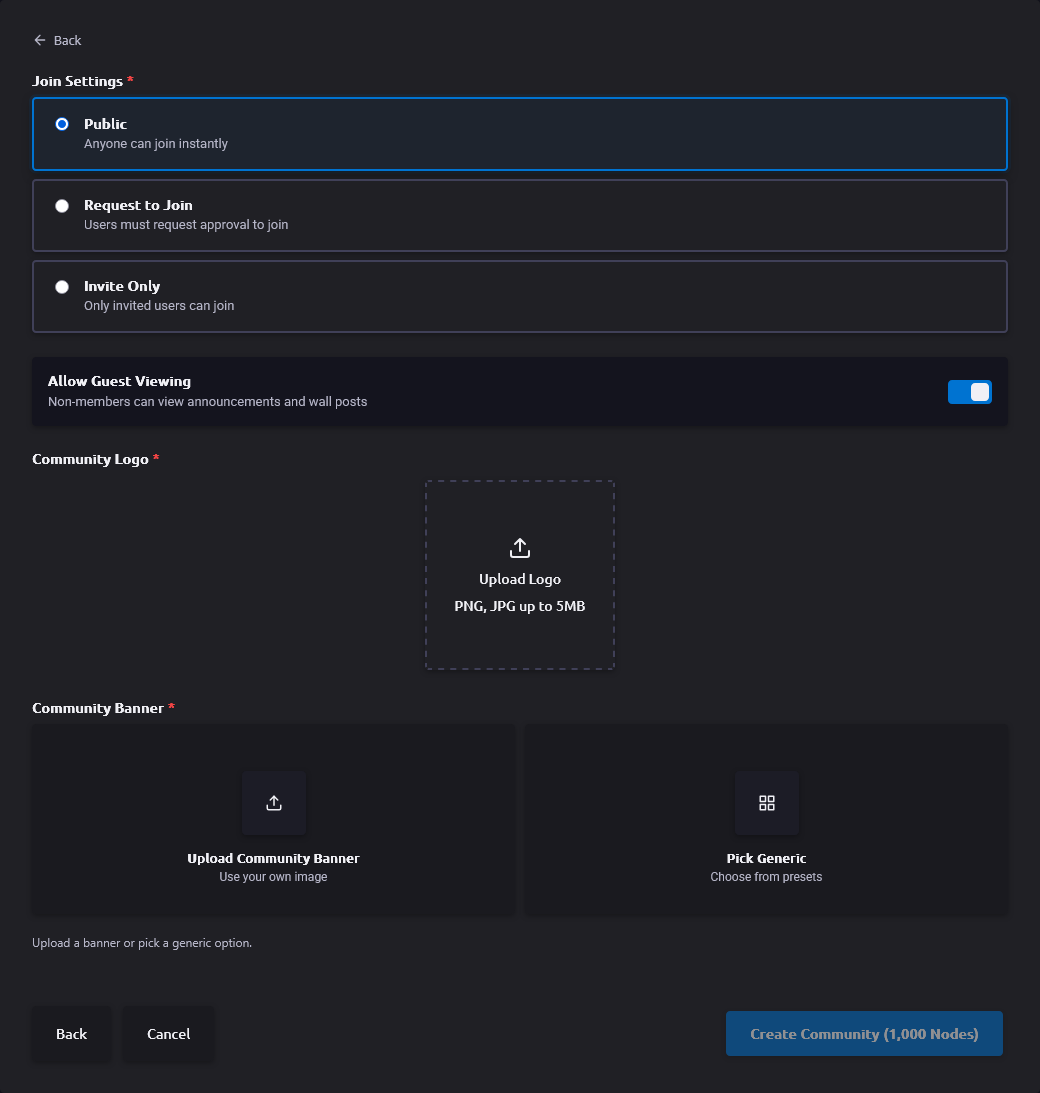
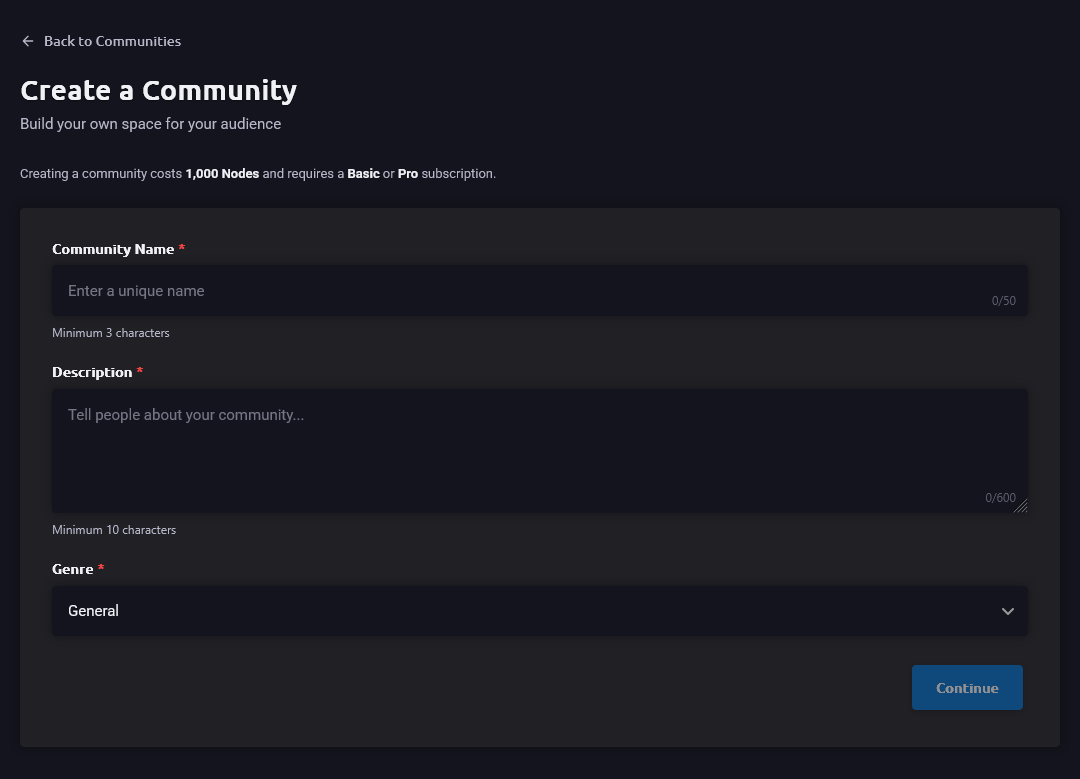
Getting started is straightforward — creating a community costs 1,000 Nodes:
1. Choose Your Identity
- Pick a unique name
- Select a genre that represents your community
- Upload a custom logo to make it yours
- Upload a custom banner to make your community stand out, or use a default Meshcaid banner to get going
- Set your join type: Open, Approval Required, or Invite Only
2. Customize Your Space
- Write a compelling description
- Configure default member roles
3. Launch Your Community
- Your community is live instantly
- Start inviting members
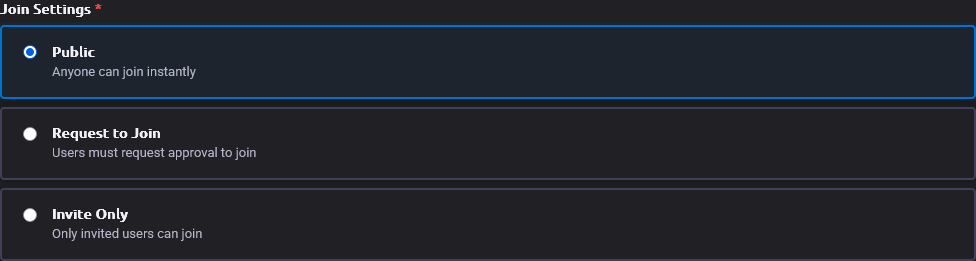
Flexible Membership Options
Open Communities
Anyone can join immediately. Perfect for public communities and large groups.
By Request
Prospective members submit join requests that moderators review. Great for curated communities.
Invite Only
Members can only join via direct invitation. Ideal for exclusive groups and private spaces.
Announcements & Updates
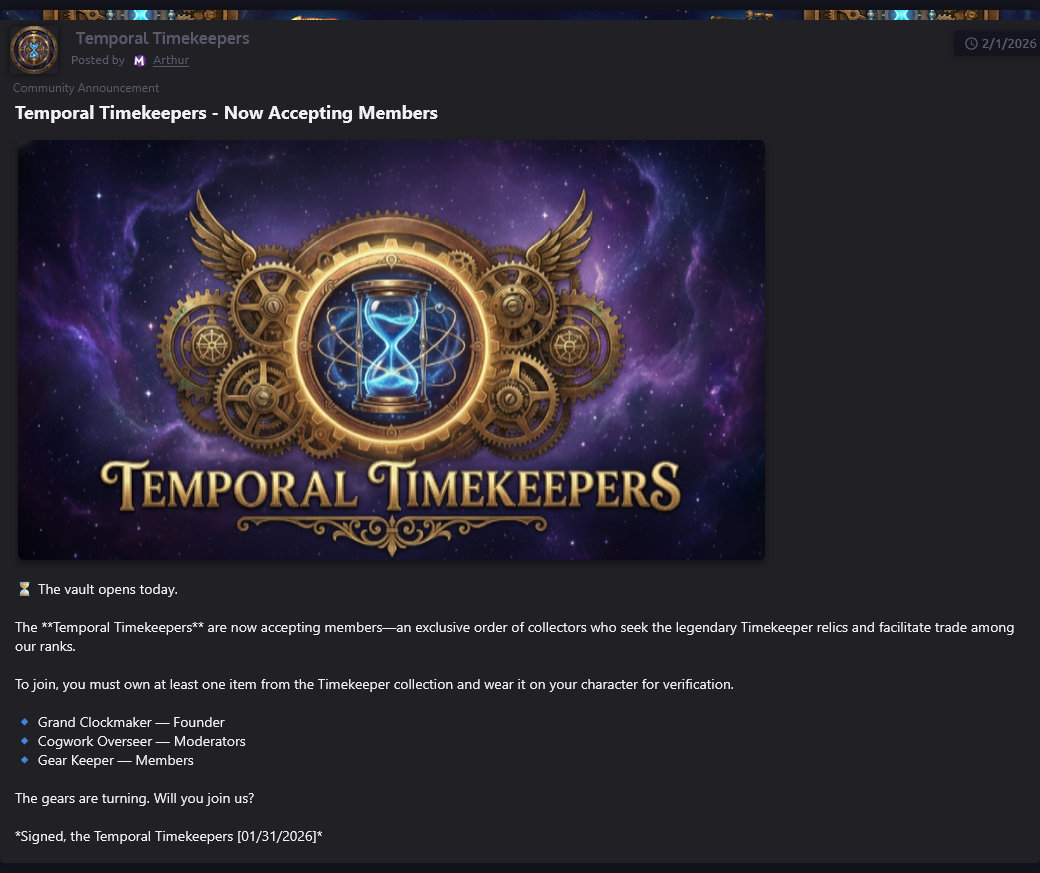
Keep your community informed with rich announcements:
- Image Support — Upload eye-catching images with your announcements (reviewed for safety)
- Pinning — Pin important announcements to the top
- Rich Content — Format your posts with titles, descriptions, links, and images
- History — Browse complete announcement archives
- Permissions — Control who can view and create announcements with role-based permissions
Advanced Role Management
Create sophisticated permission structures for your community.
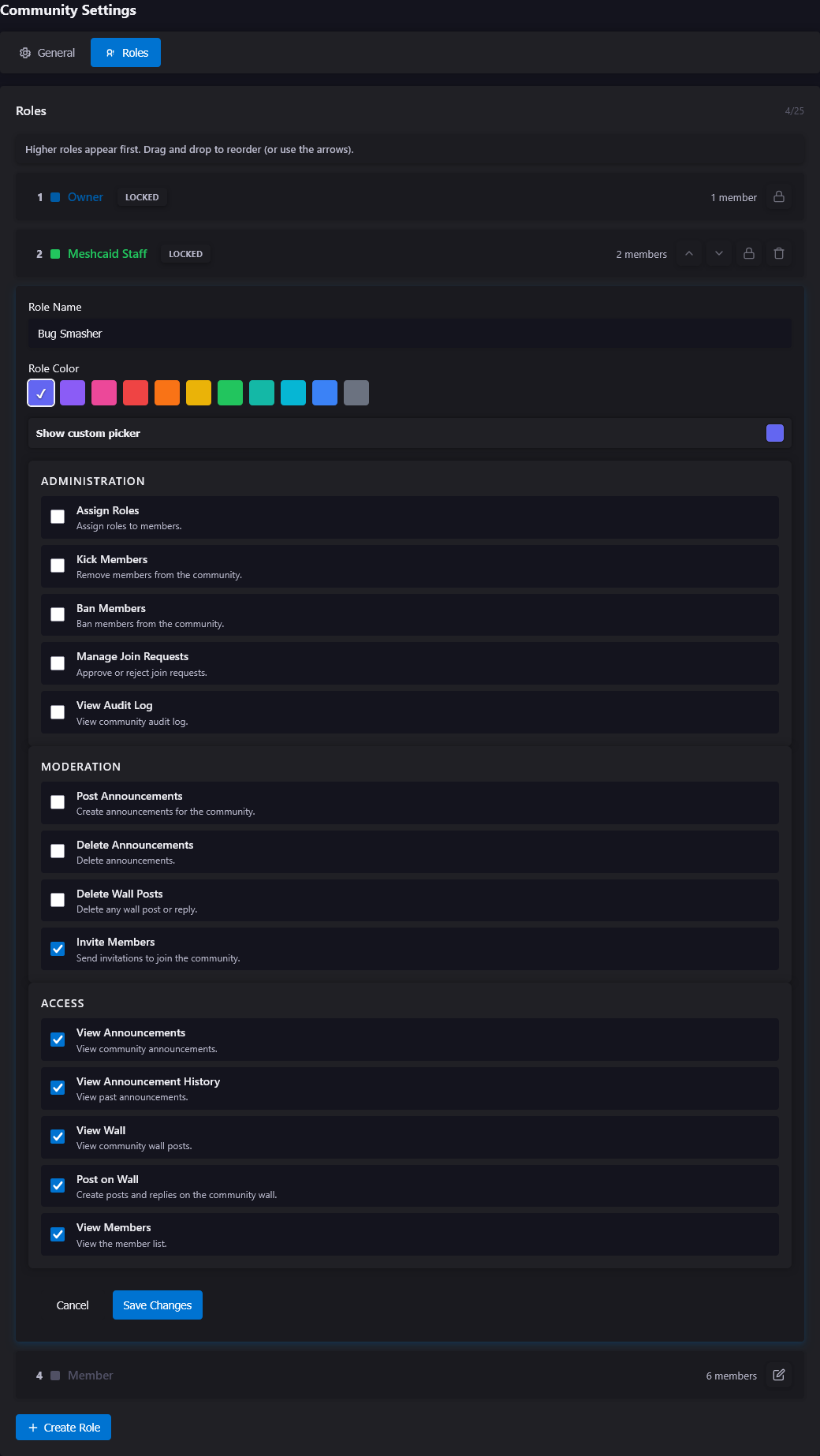
Custom Roles
- Design up to 25 unique roles per community
- First 3 custom roles are free; additional roles cost 100 Nodes
- Assign custom names and colors
- Set granular permissions for each role
- Create role hierarchies for moderation
Powerful Permissions
- View and create announcements
- Manage members and join requests
- Moderate wall posts
- Edit community settings
- Transfer ownership
- Audit community actions
Role Hierarchy
- Moderators can only manage members with lower-ranked roles
- Prevents accidental permission escalation
- Maintains a clear authority structure
Safety & Security Features
We've built Communities with safety in mind.
Ownership Protection
- Password + 2FA verification required for sensitive actions
- Secure ownership transfers with search and verification (costs 250 Nodes)
- Abandoned communities can be claimed by members (500 Nodes) or non-members (750 Nodes)
- Scheduled deletion with 30-day grace period
Content Moderation
- All announcement images are reviewed before publication
- Wall post moderation tools
- Role-based access controls
- Comprehensive audit logging
Account Security
Reauthentication required for critical actions:
- Deleting communities
- Transferring ownership
- Changing sensitive settings
Community Management Tools
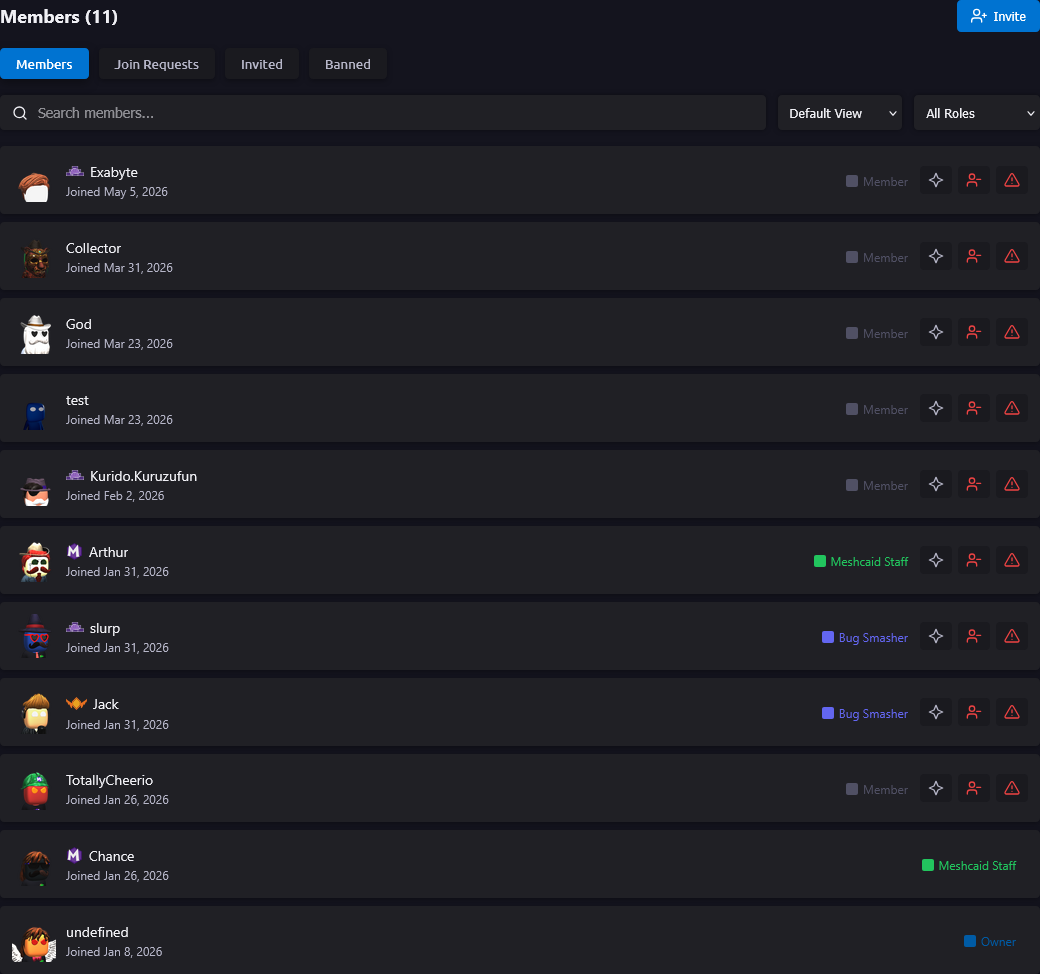
Member Management
- View all members with their roles and join dates
- Assign and modify roles
- Remove members when necessary
- Process join requests efficiently
- Send invitation requests easily
Audit & Transparency
- Complete permissions audit view
- See all role permissions at a glance
- Track member role changes
- Review community action history
Dashboard Integration
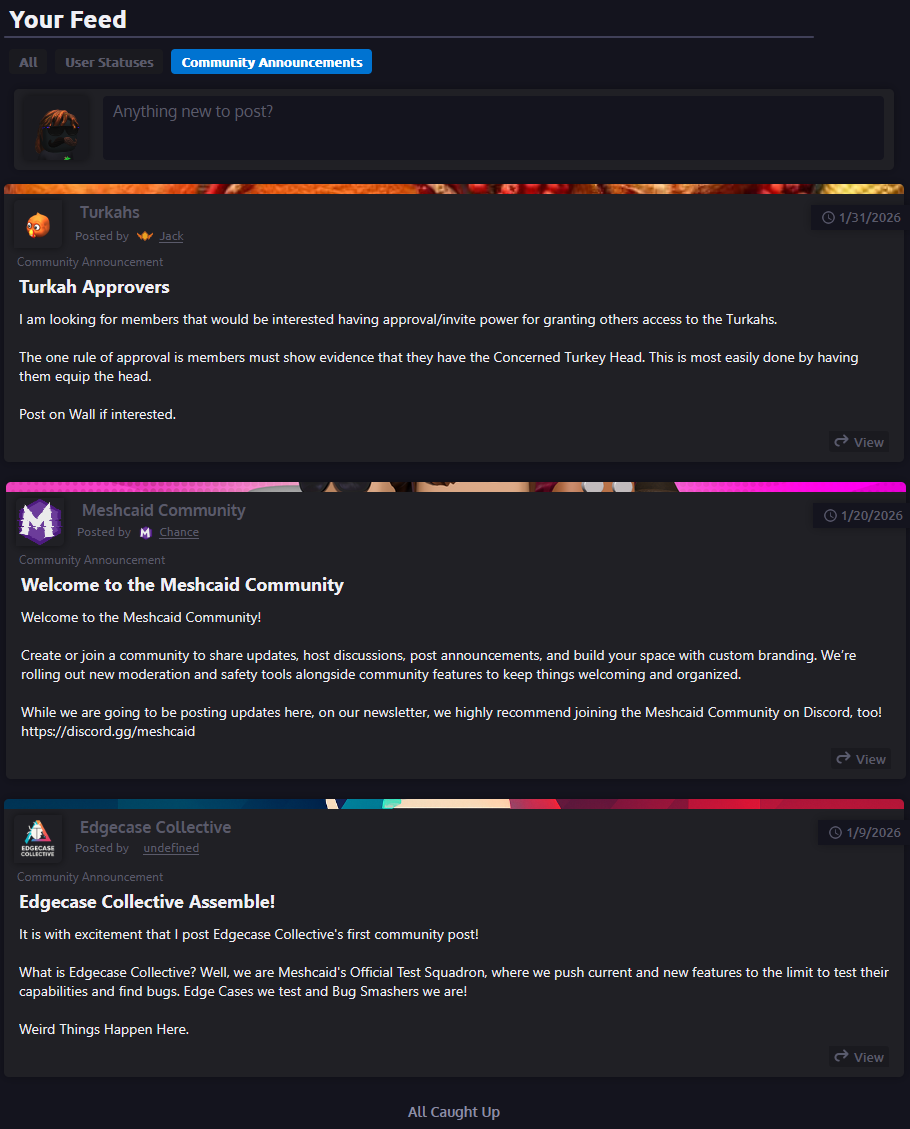
Communities integrate directly into the Meshcaid dashboard experience:
- Community announcements appear in member dashboards
- Permission-aware feed filtering
- Personalized community suggestions
- Quick access to joined communities
Smart Discovery
Personalized Suggestions
- Recommendations based on your interests
- Genre-based filtering
- See communities popular with similar users
- Excludes communities you've already joined
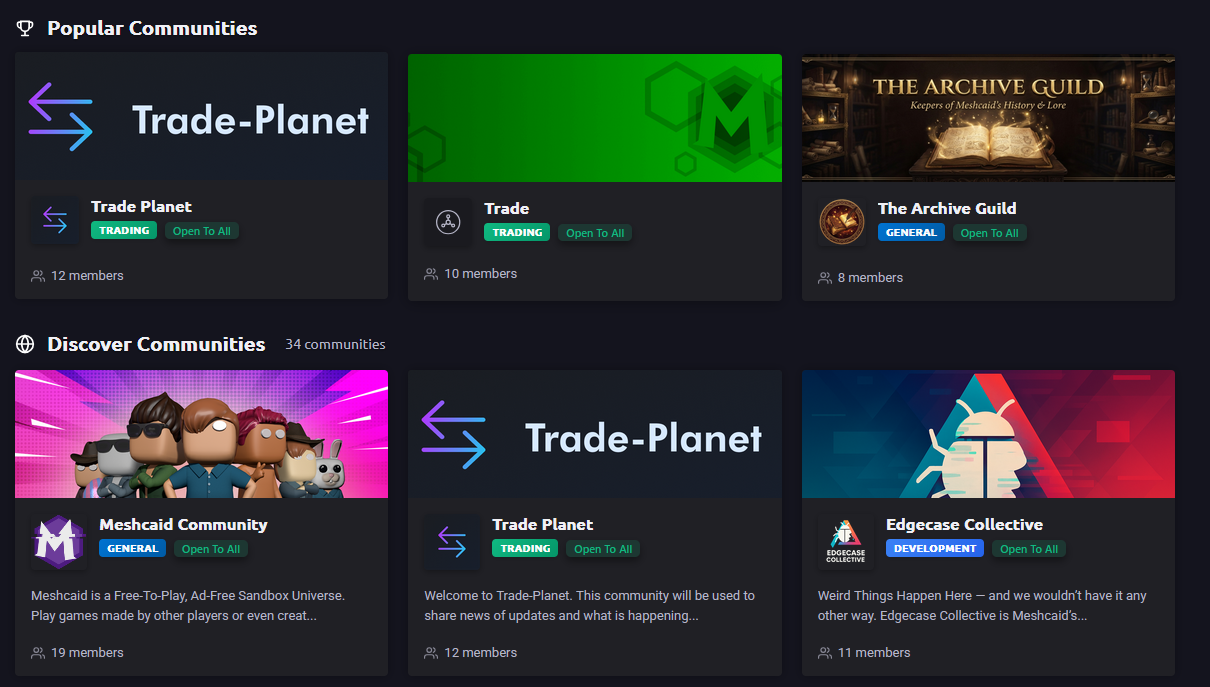
Browse & Search
- Filter by genre
- Sort by member count or creation date
- Search by name
- View community stats before joining
Community Hub
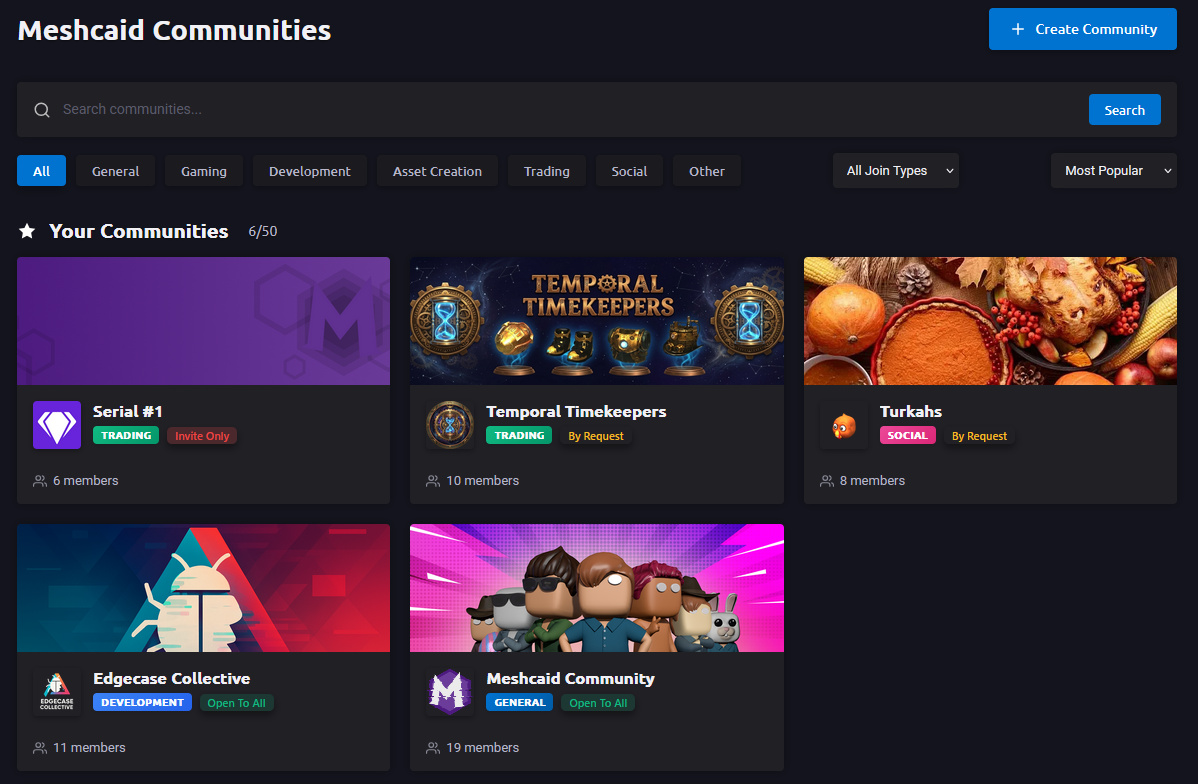
- See all your joined communities in one place
- Quick access to scheduled deletion notices
- Filter your communities by genre or join type
- Track your community limit based on subscription tier
Subscription Tiers & Limits
- Free Members — Join up to 5 communities
- Meshcaid Basic — Join up to 25 communities
- Meshcaid Pro — Join up to 50 communities
Community Themes & Genres
Choose from diverse genres:
- General — All-purpose communities and mixed-interest groups
- Gaming — Game communities, clans, guilds, and player groups
- Development — Game developers, programmers, and technical communities
- Asset Creation — 3D artists, designers, and content creators
- Trading — Marketplace discussions and trading communities
- Social — Friend groups, social clubs, and casual hangouts
- Other — Specialized communities that don't fit traditional categories
Getting Started
For Community Creators
- Navigate to the Communities hub
- Click "Create Community"
- Fill in your community details
- Customize roles and permissions
- Invite your first members!
For Members
- Browse suggested and popular communities
- Join communities that interest you
- Check your dashboard for community updates
- Engage with wall posts and announcements
- Discover new connections and expand your network
Coming Soon
This is only the beginning. Here's a glimpse of what's on the horizon for Communities:
- Community Events — Organize and promote events directly within your community space
- Wall Enhancements — Rich media posts, reactions, and threaded replies on the community wall
- Expanded Discovery — More ways to surface and recommend communities based on activity and interests
- Community Analytics — Insights into member growth, engagement trends, and post performance
- Deeper Integrations — Tighter connections between Communities and the rest of the Meshcaid platform
Stay tuned — we'll be sharing more as these features roll out.
Use Cases
- Game Developers — Share development updates, gather feedback, build a player community
- Content Creators — Announce new content, engage with fans, offer exclusive access
- Friend Groups — Private space for your crew, share memes, plan hangouts
- Project Teams — Coordinate work, share resources, track progress
- Fan Communities — Discuss your favorite games, shows, or creators
- Learning Groups — Share resources, ask questions, collaborate on projects
- Event Organizers — Announce events, manage attendees, share updates
Get Started Today
Whether you're here to create, discover, or connect, there's a community waiting for you. Head to the Communities hub from the main navigation to get started.
Support
Need Help?
If you run into any issues — from community creation and permissions to membership and moderation — our support team is ready to help.
- Reach out through our standard support channels for community-related questions
- Report bugs or unexpected behavior using the in-platform feedback tool
Important:
All Meshcaid Terms of Service apply to communities. Community owners are expected to moderate their spaces and report violations to Meshcaid.
While owners are encouraged to take reasonable steps — such as removing content and flagging bad actors — owners will not be held responsible for the actions of their members. However, if a community is found to be a space where harmful or malicious behavior is being regularly facilitated and the owner has not taken reasonable steps to address it, actions may be taken against the owner of the community.